POSTذكاء اصطناعيAI
Claude Code للمبتدئين: إزاي تشتغل بوكيل برمجة من غير ما تبوظ مشروعكClaude Code for beginners: working with a coding agent without wrecking your project
التثبيت، ملف CLAUDE.md، وضع الخطة، الصلاحيات، وعادات يومية بتخلي الأداة تطلع شغل يتسلم.Setup, the CLAUDE.md file, plan mode, permissions, and daily habits that make the tool produce work you can ship.
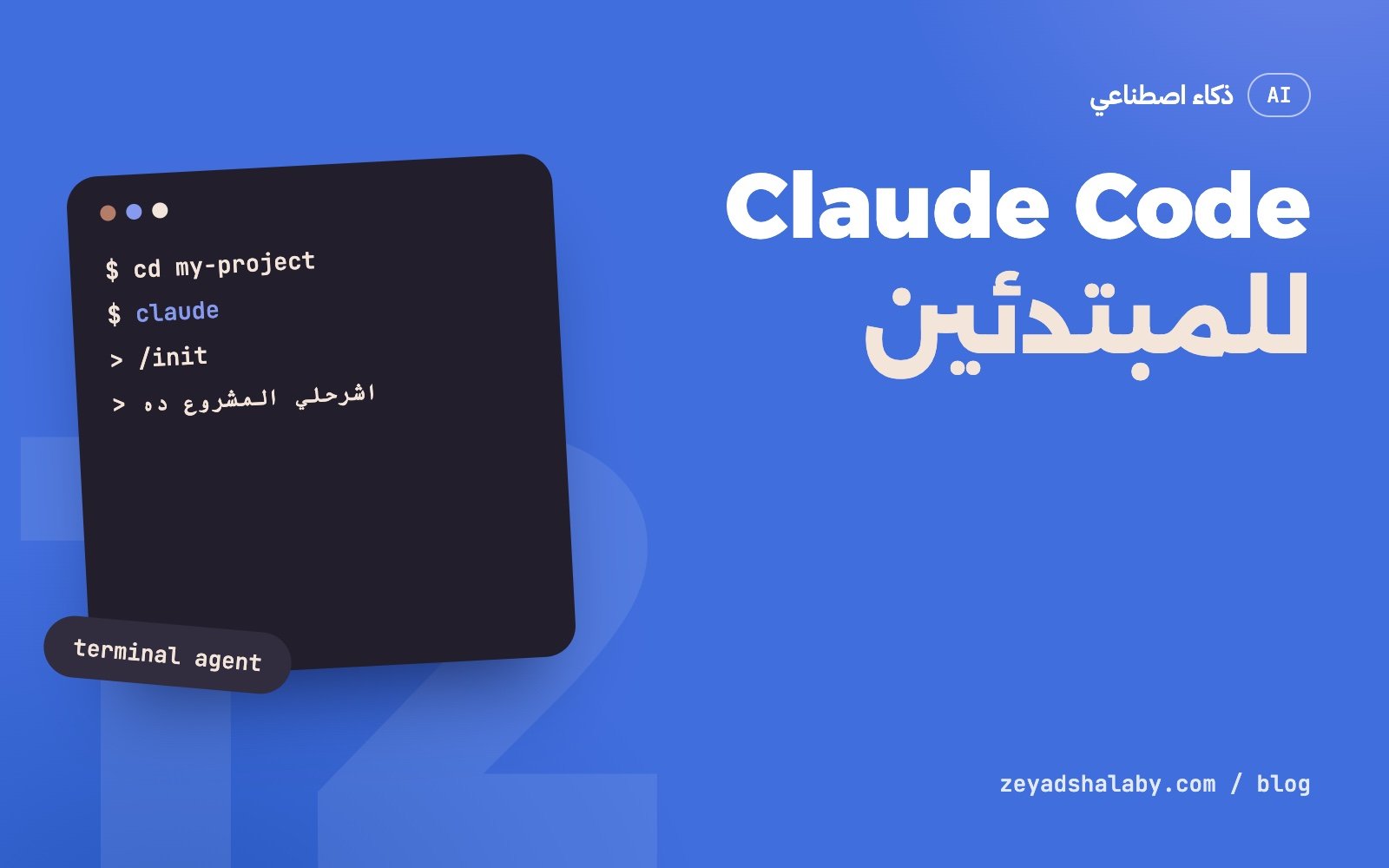
Claude Code هو وكيل برمجة من Anthropic بيشتغل على مشروعك مباشرة: بيقرا الملفات، يدور فيها، يعدل، يشغل الأوامر والاختبارات، ويكمل لحد ما المهمة تخلص. هو مش إكمال تلقائي جوه المحرر. هو زميل بتديله مهمة وبتراجع شغله. موجود كأداة في التيرمنال، وتطبيق للكمبيوتر، ونسخة ويب، وإضافات للمحررات. المقال ده يمشيك من التثبيت لحد عادات الشغل اليومي.
إيه اللي بيفرقه عن الشات العادي
في الشات انت اللي بتنسخ الكود وتلصقه وتشغل وترجع بالخطأ. هنا الأداة هي اللي بتعمل اللفة دي: تقرا، تعدل، تشغل، تشوف النتيجة، تصلح. ده اللي بيتسمى وكيل، وشرحه بالتفصيل في AI Agents: إيه هي وبتشتغل إزاي.
ده معناه إنها بتشوف مشروعك الحقيقي مش اللي انت فاكره عنه، وإنها تقدر تتأكد من شغلها. ومعناه كمان إنها بتشغل أوامر على جهازك، فلازم تبقى فاهم بتسمحلها بإيه.
التثبيت وأول جلسة
محتاج Node.js على جهازك واشتراك أو حساب API. بعدها:
npm install -g @anthropic-ai/claude-code

cd my-project
claude
طرق التثبيت بتتحدث، فراجع صفحة التثبيت الرسمية لو الأمر ده ما اشتغلش عندك. أول مرة هيطلب منك تسجل دخول.
قبل ما تطلب أي تعديل، ابدأ بأسئلة قراية بس عشان تشوف هو فاهم المشروع إزاي:
> اشرحلي المشروع ده مبني إزاي في 10 سطور
> فين الكود المسؤول عن تسجيل الدخول؟
> إيه الأوامر اللي بشغل بيها الاختبارات؟
لو الإجابات غلط، ده مؤشر إن المشروع محتاج ملف تعليمات. وده اللي جاي.
ملف CLAUDE.md: ذاكرة المشروع
الأداة ما بتفتكرش حاجة من الجلسة اللي فاتت. اللي بيتنقل من جلسة للتانية هو ملف اسمه CLAUDE.md في جذر المشروع، بيتقرا تلقائي في أول كل جلسة. الأمر /init بيكتبلك نسخة أولى منه بعد ما يقرا المشروع.
اللي يتحط فيه:
- الأوامر: إزاي أشغل، أبني، أختبر، أعمل lint.
- الخريطة: أهم المجلدات وكل واحد فيه إيه.
- القواعد: أسلوب الكود، الحاجات الممنوعة، المكتبات المعتمدة.
- الفخاخ: الحاجات اللي أي حد جديد بيقع فيها.
- وقفنا فين: اللي خلص واللي لسه مفتوح.
# متجر الكتب

## الأوامر
- تشغيل: `npm run dev` (المنفذ 3000)
- اختبارات: `npm test`
- قبل أي commit: `npm run lint`

## القواعد
- TypeScript صارم، ممنوع `any`.
- كل النصوص في `locales/ar.json`، مفيش نص عربي جوه المكونات.
- ما تضيفش مكتبة جديدة من غير ما تسأل.

## فخاخ
- قاعدة البيانات المحلية بتتمسح مع `npm run reset`.
خليه قصير ودقيق. كل سطر فيه بيتقرا في كل جلسة، والسطر الغلط أو القديم بيضر أكتر من عدم وجوده. ولما تصحح للأداة حاجة مرتين، ضيفها في الملف عشان ما تصححهاش تالت مرة.
وضع الخطة قبل التنفيذ
في أي مهمة أكبر من تعديل صغير، خلي الأداة تخطط الأول. فيه وضع اسمه plan mode بتدخله بـ Shift+Tab: الأداة فيه بتقرا وتدور وتكتب خطة، وما بتعدلش أي ملف لحد ما توافق.
اقرا الخطة كويس. هتلاقي فيها فهمها للمطلوب، والملفات اللي هتتلمس، وترتيب الشغل. لو فيه حاجة غلط، صلحها دلوقتي في سطر، مش بعد ما تكتب 300 سطر.
وطريقة كتابة الطلب نفسه بتفرق جدا. راجع كتابة Prompt للكود.
الصلاحيات: إيه اللي بتسمح بيه
الوضع الافتراضي إن الأداة بتسألك قبل ما تعدل ملف أو تشغل أمر. ده مزعج في الأول، وهو اللي بيحميك.
- اقرا الأمر قبل ما توافق. خصوصا أي حاجة فيها حذف، أو push، أو تعديل في قاعدة بيانات.
- اسمح دايما للآمن بس. أوامر القراية والاختبارات تتسمح بشكل دايم. أوامر الحذف والنشر تفضل بسؤال.
- ما تشغلش وضع تخطي كل الصلاحيات على جهازك. الوضع ده معمول لبيئة معزولة مفيهاش حاجة تخاف عليها.
- المفاتيح السرية بره. ما تحطش مفاتيح الإنتاج في مشروع الأداة شغالة عليه.
وافتكر إن الأداة بتقرا ملفات وصفحات ممكن يكون فيها نص بيحاول يوجهها. اقرا Prompt Injection: الثغرة اللي لازم تفهمها.
إدارة السياق
كل اللي بيتقال ويتقرا في الجلسة بيتراكم في سياق النموذج. لما يكبر، الجودة بتقل والأداة بتبدأ تنسى أو تتلخبط.
- مهمة جديدة، جلسة جديدة.
/clearبيبدأ من الأول. ما تكملش مهمة مختلفة في نفس الجلسة. - ما تخليهاش تقرا المشروع كله. قولها الملفات المعنية لو عارفها.
- لو الجلسة باظت، ابدأ من جديد. تلخيص للي حصل وجلسة نضيفة أحسن من عشر محاولات تصليح.
- اكتب اللي اتعلمته. قبل ما تقفل، خليها تحدث
CLAUDE.mdباللي خلص واللي لسه.
عادات يومية بتفرق
- Git قبل أي حاجة. ابدأ من حالة نضيفة، واعمل commit بعد كل خطوة شغالة. الأداة هتغلط، وانت عايز ترجع بأمر واحد. لو محتاج تراجع الأساسيات: Git للمبتدئين.
- اديها طريقة تتأكد. “شغل الاختبارات بعد التعديل” أو “افتح الصفحة واتأكد إنها بترد 200”. الأداة اللي بتشوف نتيجة شغلها بتصلح نفسها.
- راجع الـ diff. مش الملخص اللي بتكتبه. الملخص ممكن يقول تمام والكود فيه حاجة ما طلبتهاش.
- خطوات صغيرة. مهمة واحدة واضحة أحسن من خمسة في طلب.
- اسألها عن الكود. “ليه عملت كده؟” و “إيه البديل؟” أسئلة رخيصة وبتعلمك.
هي بتكتب أسرع منك. انت لسه المسؤول عن اللي بيتسلم.
أخطاء شائعة
- طلب مبهم. “حسن الموقع” هيرجعلك تغييرات عشوائية.
- قبول من غير تجربة. “المفروض يشتغل” مش “اشتغل”.
- جلسة واحدة لكل حاجة. بعد ساعتين هتلاقيها نسيت أول القواعد.
- الخناق معاها. لو غلطت في نفس الحاجة مرتين، المشكلة في الطلب أو في السياق. وقف، وضح، وابدأ نضيف.
- الاعتماد الكامل وانت لسه بتتعلم. لو مش فاهم الكود اللي طلع، مش هتعرف تصلحه. شوف Vibe coding: إيه هو وإمتى تعتمد عليه.
بعد ما ترتاح مع الأساسيات، الخطوة الجاية إنك توصلها بأدواتك التانية عن طريق MCP. ولو عايز تدخل الأدوات دي في شغلك كله بترتيب، ده اللي في كورس أتمتة شغلك بالذكاء الاصطناعي.
Claude Code is Anthropic’s coding agent that works directly on your project: it reads files, searches them, edits, runs commands and tests, and keeps going until the task is done. It is not autocomplete inside an editor. It is a colleague you hand a task to and whose work you review. It comes as a terminal tool, a desktop app, a web version and editor extensions. This post walks you from setup to daily habits.
What makes it different from plain chat
In a chat you copy the code, paste it, run it and return with the error. Here the tool runs that loop itself: read, edit, run, see the result, fix. That is what is called an agent, explained in detail in AI agents: what they are and how they work.
It means the tool sees your real project, not your memory of it, and can verify its own work. It also means it runs commands on your machine, so you need to understand what you are allowing.
Setup and the first session
You need Node.js and a subscription or an API account. Then:
npm install -g @anthropic-ai/claude-code

cd my-project
claude
Install methods get updated, so check the official install page if that command does not work for you. The first run asks you to sign in.
Before asking for any change, start with read-only questions to see how it understands the project:
> Explain how this project is built in 10 lines
> Where is the code responsible for sign-in?
> Which commands run the tests?
If the answers are wrong, the project needs an instructions file. That comes next.
The CLAUDE.md file: project memory
The tool remembers nothing from the previous session. What carries over is a file named CLAUDE.md at the project root, read automatically at the start of every session. The /init command writes a first version after reading the project.
What goes in it:
- Commands: how to run, build, test and lint.
- The map: the main folders and what each holds.
- Rules: code style, forbidden things, approved libraries.
- Traps: what every newcomer trips over.
- Where we stopped: what is done and what is open.
# Book store

## Commands
- Run: `npm run dev` (port 3000)
- Tests: `npm test`
- Before any commit: `npm run lint`

## Rules
- Strict TypeScript, no `any`.
- All copy lives in `locales/ar.json`, no Arabic text inside components.
- Do not add a library without asking.

## Traps
- The local database is wiped by `npm run reset`.
Keep it short and accurate. Every line is read in every session, and a wrong or stale line hurts more than a missing one. When you correct the tool on the same thing twice, add it to the file so there is no third time.
Plan before executing
For anything bigger than a small edit, have the tool plan first. There is a plan mode you enter with Shift+Tab: the tool reads, searches and writes a plan, and edits no file until you approve.
Read the plan carefully. It shows its understanding of the task, the files it will touch and the order of work. If something is off, fix it now in one line, not after 300 lines are written.
How you write the request matters a lot too. See writing prompts for code.
Permissions: what you are allowing
By default the tool asks before editing a file or running a command. It is annoying at first, and it is what protects you.
- Read the command before approving. Especially anything that deletes, pushes or changes a database.
- Always-allow only what is safe. Read commands and tests can be allowed permanently. Deleting and deploying stay behind a prompt.
- Do not run the skip-all-permissions mode on your own machine. That mode is meant for an isolated environment with nothing to lose.
- Keep secrets out. Do not keep production keys in a project the tool is working on.
Remember that the tool reads files and pages that may contain text trying to steer it. Read Prompt injection: the flaw you need to understand.
Managing context
Everything said and read in a session accumulates in the model’s context. As it grows, quality drops and the tool starts to forget or get confused.
- New task, new session.
/clearstarts over. Do not continue a different task in the same session. - Do not make it read the whole project. Name the relevant files if you know them.
- If a session went bad, start fresh. A summary of what happened plus a clean session beats ten repair attempts.
- Write down what was learned. Before closing, have it update
CLAUDE.mdwith what is done and what remains.
Daily habits that matter
- Git before anything. Start from a clean state and commit after each working step. The tool will make mistakes, and you want to go back with one command. For the basics: Git for beginners.
- Give it a way to check. “Run the tests after the change” or “open the page and confirm it returns 200”. A tool that sees the result of its work corrects itself.
- Review the diff. Not the summary it writes. The summary may say fine while the code holds something you never asked for.
- Small steps. One clear task beats five in one request.
- Ask it about the code. “Why did you do that?” and “what is the alternative?” are cheap questions that teach you.
It types faster than you. You are still responsible for what ships.
Common mistakes
- A vague request. “Improve the site” returns random changes.
- Accepting without trying. “It should work” is not “it worked”.
- One session for everything. After two hours it has forgotten the first rules.
- Arguing with it. If it makes the same mistake twice, the problem is the request or the context. Stop, clarify, start clean.
- Full reliance while still learning. If you do not understand the code, you cannot fix it. See Vibe coding: what it is and when to trust it.
Once the basics feel comfortable, the next step is connecting it to your other tools through MCP. If you want to bring these tools into all of your work in an orderly way, that is what the AI automation course covers.
التعليقاتComments
اقرا كمانRead next
 ذكاء اصطناعيAI
5 دقايق قرايةmin read
Prompt Injection: الثغرة اللي لازم تفهمها قبل ما تبني بالذكاء الاصطناعيPrompt injection: the flaw to understand before building with AI
ذكاء اصطناعيAI
5 دقايق قرايةmin read
Prompt Injection: الثغرة اللي لازم تفهمها قبل ما تبني بالذكاء الاصطناعيPrompt injection: the flaw to understand before building with AI
 ذكاء اصطناعيAI
5 دقايق قرايةmin read
RAG: إزاي تخلي الذكاء الاصطناعي يجاوب من بياناتكRAG: making an AI answer from your own data
ذكاء اصطناعيAI
5 دقايق قرايةmin read
RAG: إزاي تخلي الذكاء الاصطناعي يجاوب من بياناتكRAG: making an AI answer from your own data
سيب تعليقLeave a comment