POSTذكاء اصطناعيAI
MCP: إيه هو وليه كل أدوات الذكاء الاصطناعي بتدعمهMCP: what it is and why every AI tool supports it
بروتوكول واحد بيخلي المساعد الذكي يوصل لملفاتك وأدواتك وقواعد بياناتك. شرح بسيط ومثال وتحذيرات الأمان.One protocol that lets an AI assistant reach your files, tools and databases. A plain explanation, an example and the security warnings.
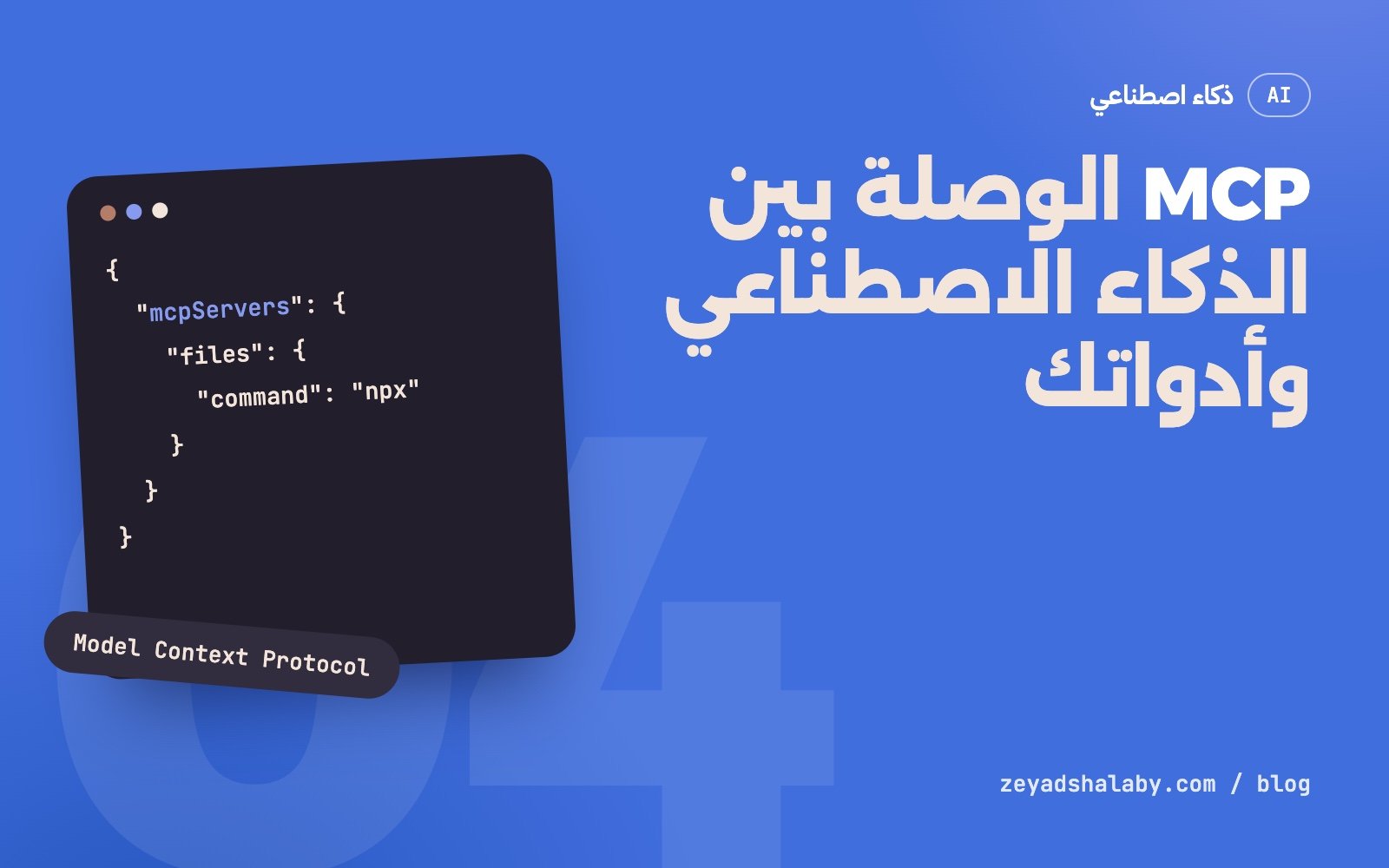
MCP اختصار Model Context Protocol، وهو معيار مفتوح بيحدد طريقة واحدة تخلي تطبيقات الذكاء الاصطناعي تتوصل بالأدوات والبيانات اللي بره النموذج: ملفاتك، قاعدة بياناتك، GitHub، المتصفح، أي حاجة. بدل ما كل أداة تتعملها وصلة خاصة لكل تطبيق، بتتكتب مرة واحدة كـ “سيرفر MCP” وتشتغل مع أي تطبيق بيدعم البروتوكول.
المشكلة اللي بيحلها
النموذج اللغوي لوحده مقفول على نفسه. بيعرف اللي اتدرب عليه واللي انت كتبتهوله في المحادثة، وخلاص. عشان يقرا ملف أو يسأل قاعدة بيانات أو يفتح تذكرة، لازم حد يديله “أداة”.
قبل MCP كل تطبيق كان بيعرف الأدوات بطريقته. لو عندك 5 تطبيقات و10 خدمات، محتاج 50 وصلة. Anthropic أعلنت MCP في نوفمبر 2024 كمعيار مفتوح عشان المعادلة دي تبقى 5 + 10: كل خدمة ليها سيرفر واحد، وكل تطبيق بيتكلم نفس اللغة.
التشبيه اللي بيتقال دايما إنه زي USB-C: فتحة واحدة، وأي حاجة تتركب فيها.
بيشتغل إزاي
فيه تلات أطراف:
- الـ Host: التطبيق اللي انت بتستخدمه وفيه النموذج، زي محرر الكود أو تطبيق المحادثة.
- الـ Client: جزء جوه التطبيق بيفتح اتصال مع كل سيرفر.
- الـ Server: برنامج صغير بيعرض قدرات معينة لخدمة واحدة.
والسيرفر بيقدر يعرض تلات أنواع حاجات:
- Tools: أفعال النموذج يقدر ينفذها، زي “دور في الملفات” أو “نفذ استعلام”.
- Resources: بيانات تتقرا، زي محتوى ملف أو صف في جدول.
- Prompts: قوالب تعليمات جاهزة المستخدم يختار منها.
الكلام بين الطرفين ماشي برسايل JSON-RPC. السيرفر ممكن يشتغل محلي على جهازك ويتكلم مع التطبيق عن طريق stdio، أو يبقى على الإنترنت ويتكلم عن طريق HTTP.
الفرق بينه وبين الـ API العادي
الـ API معمول لمبرمج هيقرا التوثيق ويكتب كود يناديه. MCP معمول لنموذج هيقرر لوحده وقت التشغيل ينادي إيه.
عشان كده كل أداة في MCP بتيجي معاها وصف بلغة عادية وشكل المدخلات المطلوبة. النموذج بيقرا الوصف ده، يفهم الأداة بتعمل إيه، ويقرر يستخدمها ولا لأ. في الغالب سيرفر الـ MCP بيبقى طبقة رفيعة فوق API موجود أصلا.
مثال: تضيف سيرفر
معظم التطبيقات بتقرا السيرفرات من ملف إعدادات JSON. ده مثال بيضيف سيرفر الملفات الرسمي ويسمحله بمجلد واحد بس:
{
  "mcpServers": {
    "files": {
      "command": "npx",
      "args": [
        "-y",
        "@modelcontextprotocol/server-filesystem",
        "/Users/me/projects/site"
      ]
    }
  }
}
اسم الملف ومكانه بيختلف من تطبيق للتاني، فراجع توثيق التطبيق اللي بتستخدمه. بعد ما التطبيق يعيد التشغيل، النموذج بيشوف أدوات زي قراية ملف وكتابة ملف والبحث في المجلد، ويستخدمها لما تطلب منه حاجة محتاجاها.
الأمان: الجزء اللي الناس بتنساه
سيرفر MCP هو برنامج بيشتغل بصلاحياتك وبيدي نموذج قدرة ينفذ أفعال. ده معناه:
- ما تركبش سيرفر من مصدر مش واثق فيه. زيه زي أي برنامج بتنزله وتشغله على جهازك.
- أقل صلاحيات ممكنة. مجلد واحد مش الجهاز كله. مفتاح قراية بس لو مش محتاج كتابة.
- خد بالك من حقن التعليمات. صفحة ويب أو ملف أو إيميل ممكن يبقى فيه كلام مكتوب للنموذج مخصوص عشان يخليه ينفذ حاجة انت ما طلبتهاش. اللي النموذج بيقراه بيانات، مش أوامر.
- راجع الأفعال الخطيرة. الحذف، الإرسال، الدفع: خليها تستنى موافقتك.
كل أداة بتديها للنموذج هي صلاحية بتديها لأي نص هيقراه.
أبدأ منين
- اختار تطبيق واحد بتستخدمه فعلا وبيدعم MCP.
- ضيف سيرفر واحد لحاجة بتعملها كل يوم، زي الملفات أو GitHub.
- جربه أسبوع قبل ما تضيف التاني. سيرفرات كتير معناها أدوات كتير، والنموذج بيتلخبط.
- لما تحتاج حاجة مش موجودة، ساعتها اكتب سيرفرك. فيه SDK رسمي لأكتر من لغة.
لو عايز تفهم الصورة الأكبر لطريقة الشغل دي، اقرا Vibe coding: إيه هو وإمتى تعتمد عليه. ولو عايز توصل أدواتك ببعض وتأتمت شغلك خطوة خطوة، ده موضوع كورس أتمتة شغلك بالذكاء الاصطناعي.
MCP stands for Model Context Protocol, an open standard that defines one way for AI applications to connect to tools and data outside the model: your files, your database, GitHub, the browser, anything. Instead of building a custom connector per tool per app, you write it once as an “MCP server” and it works with any app that supports the protocol.
The problem it solves
A language model on its own is sealed. It knows what it was trained on and what you typed into the conversation, and that is all. To read a file, query a database or open a ticket, something has to hand it a “tool”.
Before MCP every app defined tools its own way. With 5 apps and 10 services you needed 50 connectors. Anthropic announced MCP in November 2024 as an open standard so the sum becomes 5 + 10: each service has one server, and every app speaks the same language.
The usual comparison is USB-C: one port, and anything plugs in.
How it works
There are three parties:
- The host: the app you use that contains the model, such as a code editor or a chat app.
- The client: a part of the app that opens a connection to each server.
- The server: a small program that exposes the abilities of one service.
A server can expose three kinds of things:
- Tools: actions the model can run, like “search files” or “run a query”.
- Resources: data to read, like a file’s content or a table row.
- Prompts: ready-made instruction templates the user can pick.
The two sides talk in JSON-RPC messages. A server can run locally on your machine and talk over stdio, or live on the internet and talk over HTTP.
How it differs from a normal API
An API is made for a programmer who reads the docs and writes code that calls it. MCP is made for a model that decides at run time what to call.
That is why every MCP tool carries a plain-language description and the shape of its inputs. The model reads that description, understands what the tool does, and decides whether to use it. Most of the time an MCP server is a thin layer over an API that already exists.
Example: adding a server
Most apps read their servers from a JSON settings file. This example adds the official filesystem server and allows it a single folder:
{
  "mcpServers": {
    "files": {
      "command": "npx",
      "args": [
        "-y",
        "@modelcontextprotocol/server-filesystem",
        "/Users/me/projects/site"
      ]
    }
  }
}
The file’s name and location differ between apps, so check the docs of the one you use. After a restart, the model sees tools such as read file, write file and search the folder, and uses them when your request needs them.
Security: the part people forget
An MCP server is a program running with your permissions that gives a model the ability to act. So:
- Do not install a server from a source you do not trust. It is the same as any program you download and run.
- Least privilege. One folder, not the whole machine. A read-only key if you do not need writes.
- Watch for prompt injection. A web page, a file or an email can contain text written for the model, meant to make it do something you never asked for. What the model reads is data, not orders.
- Review dangerous actions. Deleting, sending, paying: make them wait for your approval.
Every tool you give the model is a permission you give to any text it will read.
Where to start
- Pick one app you really use that supports MCP.
- Add one server for something you do daily, like files or GitHub.
- Use it for a week before adding another. Many servers mean many tools, and the model gets confused.
- When you need something that does not exist, write your own server. There is an official SDK for several languages.
For the bigger picture of this way of working, read Vibe coding: what it is and when to trust it. And if you want to connect your tools and automate your work step by step, that is the subject of the AI automation course.
التعليقاتComments
اقرا كمانRead next
 ذكاء اصطناعيAI
5 دقايق قرايةmin read
Claude Code للمبتدئين: إزاي تشتغل بوكيل برمجة من غير ما تبوظ مشروعكClaude Code for beginners: working with a coding agent without wrecking your project
ذكاء اصطناعيAI
5 دقايق قرايةmin read
Claude Code للمبتدئين: إزاي تشتغل بوكيل برمجة من غير ما تبوظ مشروعكClaude Code for beginners: working with a coding agent without wrecking your project
 ذكاء اصطناعيAI
5 دقايق قرايةmin read
Prompt Injection: الثغرة اللي لازم تفهمها قبل ما تبني بالذكاء الاصطناعيPrompt injection: the flaw to understand before building with AI
ذكاء اصطناعيAI
5 دقايق قرايةmin read
Prompt Injection: الثغرة اللي لازم تفهمها قبل ما تبني بالذكاء الاصطناعيPrompt injection: the flaw to understand before building with AI
سيب تعليقLeave a comment