POSTويبWeb
:has() في CSS: سبع استخدامات بتشيل جافاسكريبت من موقعك:has() in CSS: seven uses that remove JavaScript from your site
الـ selector اللي بيخليك تنسق الأب حسب اللي جواه، بأمثلة حقيقية للفورمات والكروت والقوايم.The selector that styles a parent by what it contains, with real examples for forms, cards and menus.
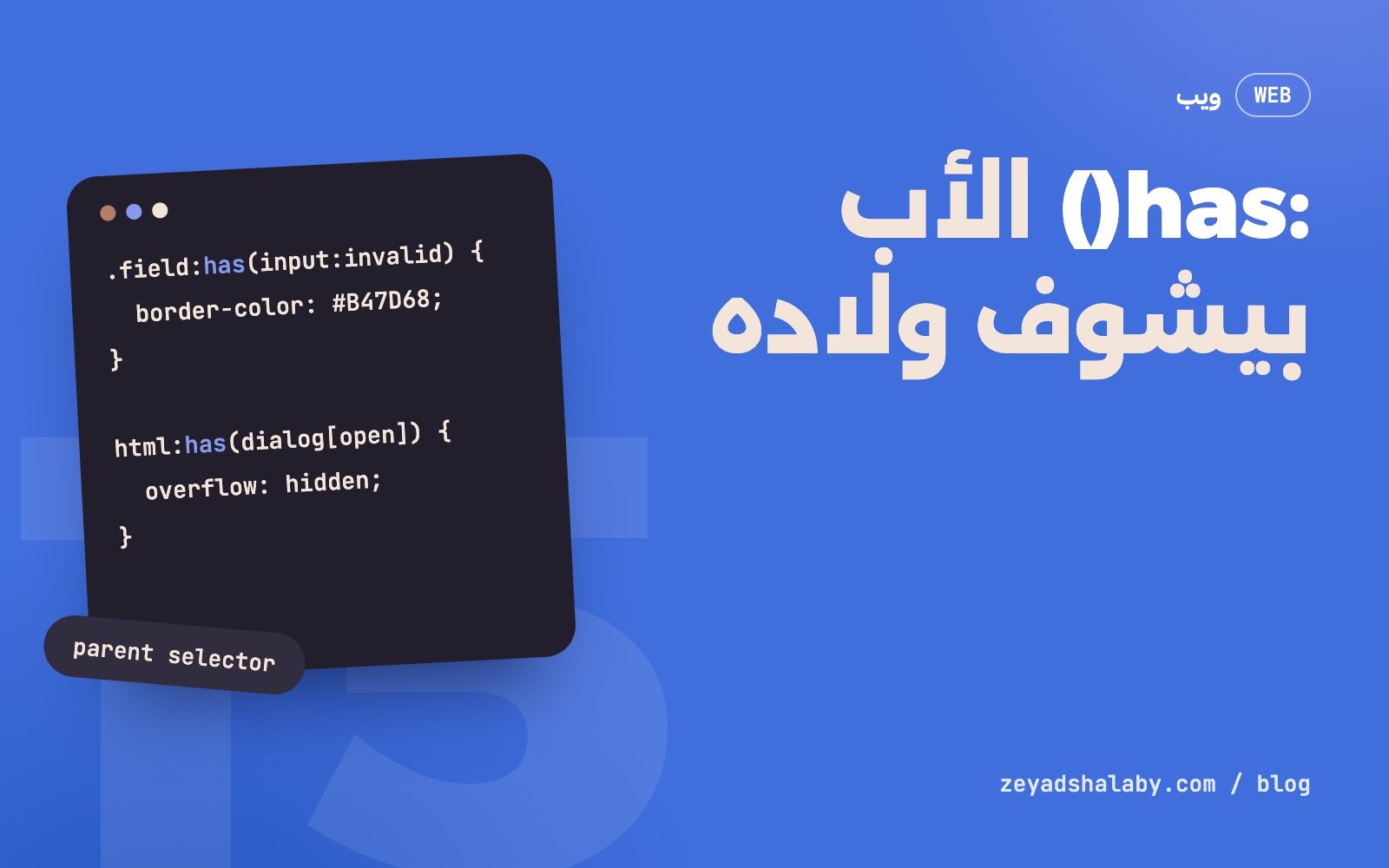
:has() في CSS هو selector بيختار عنصر بناء على اللي جواه أو اللي بعده. .card:has(img) معناها “الكارت اللي فيه صورة”. ده اللي المطورين كانوا بيسموه “parent selector” وفضلوا يطلبوه سنين. بقى مدعوم في كل المتصفحات الكبيرة من آخر 2023، وبيشيل كمية جافاسكريبت كانت بتتكتب بس عشان تضيف كلاس على عنصر أب.
بيشتغل إزاي
الـ CSS طول عمره بيمشي في اتجاه واحد: من الأب للابن. تقدر تقول “الصورة اللي جوه الكارت”، وما كنتش تقدر تقول “الكارت اللي فيه صورة”. :has() بتقلب ده:
/* الكارت اللي فيه صورة */
.card:has(img) { padding-top: 0; }

/* الكارت اللي مفيهوش صورة */
.card:not(:has(img)) { border-top: 4px solid #416EDD; }

/* العنوان اللي بعده على طول فقرة */
h2:has(+ p) { margin-bottom: 8px; }
اللي جوه الأقواس selector عادي، وممكن يبدأ بـ > للابن المباشر أو + للأخ اللي بعده.
1. حقل الفورم اللي فيه خطأ
.field:has(input:user-invalid) {
  border-color: #B47D68;
}

.field:has(input:user-invalid) .field__error {
  display: block;
}

.field:has(input:required) .field__label::after {
  content: " *";
}
الحاوية كلها بتتلون والرسالة بتظهر، من غير سطر جافاسكريبت. :user-invalid أحسن من :invalid هنا لأنها ما بتشتغلش غير بعد ما المستخدم يتعامل مع الحقل، فالفورم ما يفتحش كله أحمر.
2. زرار الإرسال باهت لحد ما الفورم يصح
form:has(:invalid) button[type="submit"] {
  opacity: 0.5;
}
ده تلميح بصري بس. ما تعطلش الزرار فعلا بيه، لأن المستخدم لازم يقدر يدوس ويشوف إيه الناقص. والتحقق الحقيقي دايما على السيرفر.
3. منع سكرول الصفحة والنافذة مفتوحة
html:has(dialog[open]),
html:has(.menu.is-open) {
  overflow: hidden;
}
ده كان من أشهر أسباب كتابة جافاسكريبت: تضيف كلاس على body لما القايمة تفتح وتشيله لما تقفل. دلوقتي الـ CSS بيشوف الحالة بنفسه. وده بيتركب حلو مع عنصر dialog اللي شرحه في عنصر dialog في HTML.
4. كارت بشكل مختلف حسب محتواه
.card:has(.card__badge) { border-color: #416EDD; }

.card:has(> video) { aspect-ratio: 16 / 9; }

/* لو الكارت كله رابط واحد */
.card:has(a:focus-visible) { outline: 3px solid #416EDD; }
المحرر بيضيف شارة أو فيديو في لوحة التحكم، والكارت بيتظبط لوحده. مفيش كلاسات زي .card--has-video لازم حد يفتكر يضيفها.
5. الشبكة بتتظبط حسب عدد العناصر
/* عنصر واحد بس: ياخد العرض كله */
.grid:has(> :only-child) { grid-template-columns: 1fr; }

/* أربعة أو أكتر: شبكة أضيق */
.grid:has(> :nth-child(4)) {
  grid-template-columns: repeat(auto-fill, minmax(220px, 1fr));
}
:has(> :nth-child(4)) معناها “فيه ابن رابع”، يعني العدد أربعة على الأقل. خدعة صغيرة بتغنيك عن عد العناصر بالجافاسكريبت.
6. تظليل الباقي لما تقف على واحد
.list:has(.item:hover) .item:not(:hover) {
  opacity: 0.45;
}

.item { transition: opacity 0.25s; }
لما الماوس يقف على عنصر، الباقي يبهت. تأثير بسيط بيركز العين، ومكتوب في تلات سطور.
7. تبديل الثيم من غير جافاسكريبت
html:has(#dark:checked) {
  --bg: #221E2C;
  --text: #F3E5DA;
}

body { background: var(--bg); color: var(--text); }
checkbox في أي مكان في الصفحة بيغير متغيرات على الجذر. ده بيشتغل، بس الاختيار مش بيتحفظ بعد ما الصفحة تتقفل. لحفظه لسه محتاج سطرين جافاسكريبت. التفاصيل الكاملة في الوضع الليلي بمتغيرات CSS.
الأداء
:has() أغلى من الـ selectors العادية، لأن المتصفح لازم يعيد الفحص لما أي حاجة جوه العنصر تتغير. في الاستخدام الطبيعي الفرق مش محسوس. خد بالك بس من:
- خليها على عنصر محدد.
.card:has(img)أحسن من*:has(img)أوdiv:has(img). - جوه الأقواس كمان يبقى بسيط.
:has(> img)أرخص من:has(img)لأنه بيبص على الأولاد المباشرين بس. html:has(...)وbody:has(...)بحساب. دول بيخلوا المتصفح يراقب الصفحة كلها. كام قاعدة كده عادي، مئات لأ.- ما ينفعش
:has()جوه:has(). المواصفة بتمنع التداخل ده.
دعم المتصفحات
مدعومة في Chrome و Edge و Safari و Firefox من ديسمبر 2023. لو لازم تدعم متصفحات أقدم، استخدمها للتحسينات مش للأساسيات:
@supports selector(:has(*)) {
  form:has(:invalid) button { opacity: 0.5; }
}
خد بالك من حاجة: لو كتبت :has() في قايمة selectors مع غيرها، والمتصفح مش فاهمها، القاعدة كلها بتتلغي. افصلها في قاعدة لوحدها.
قبل ما تكتب جافاسكريبت يضيف كلاس على الأب، اسأل: ينفع بـ :has()؟
دي واحدة من مميزات CSS الجديدة اللي غيرت طريقة الكتابة. كمل مع Container Queries و Scroll-driven animations. ولو محتاج موقع متعوب على تفاصيله، كلمني.
:has() in CSS is a selector that picks an element based on what is inside it or what follows it. .card:has(img) means “the card that contains an image”. It is what developers called the “parent selector” and asked for over many years. It has been supported in all major browsers since late 2023, and it removes a lot of JavaScript that existed only to add a class to a parent.
How it works
CSS always went one way: parent to child. You could say “the image inside the card” but not “the card that has an image”. :has() flips that:
/* the card that contains an image */
.card:has(img) { padding-top: 0; }

/* the card without an image */
.card:not(:has(img)) { border-top: 4px solid #416EDD; }

/* a heading directly followed by a paragraph */
h2:has(+ p) { margin-bottom: 8px; }
Inside the brackets goes a normal selector, which may start with > for a direct child or + for the next sibling.
1. The form field with an error
.field:has(input:user-invalid) {
  border-color: #B47D68;
}

.field:has(input:user-invalid) .field__error {
  display: block;
}

.field:has(input:required) .field__label::after {
  content: " *";
}
The whole wrapper is coloured and the message shows, without a line of JavaScript. :user-invalid is better than :invalid here because it only applies after the user has interacted with the field, so the form does not open all red.
2. A dimmed submit button until the form is valid
form:has(:invalid) button[type="submit"] {
  opacity: 0.5;
}
This is a visual hint only. Do not actually disable the button with it, because the user must be able to press and see what is missing. Real validation always happens on the server.
3. Locking page scroll while an overlay is open
html:has(dialog[open]),
html:has(.menu.is-open) {
  overflow: hidden;
}
This was one of the most common reasons to write JavaScript: add a class to body when the menu opens and remove it on close. Now CSS sees the state itself. It pairs well with the dialog element, explained in the HTML dialog element.
4. A card that changes with its content
.card:has(.card__badge) { border-color: #416EDD; }

.card:has(> video) { aspect-ratio: 16 / 9; }

/* when the whole card is one link */
.card:has(a:focus-visible) { outline: 3px solid #416EDD; }
An editor adds a badge or a video in the admin, and the card adapts by itself. No classes like .card--has-video that someone must remember to add.
5. A grid that adapts to the number of items
/* a single item: take the full width */
.grid:has(> :only-child) { grid-template-columns: 1fr; }

/* four or more: a tighter grid */
.grid:has(> :nth-child(4)) {
  grid-template-columns: repeat(auto-fill, minmax(220px, 1fr));
}
:has(> :nth-child(4)) means “there is a fourth child”, so at least four. A small trick that saves counting elements in JavaScript.
6. Dimming the rest when one is hovered
.list:has(.item:hover) .item:not(:hover) {
  opacity: 0.45;
}

.item { transition: opacity 0.25s; }
When the pointer rests on one item, the others fade. A simple effect that focuses the eye, in three lines.
7. A theme switch without JavaScript
html:has(#dark:checked) {
  --bg: #221E2C;
  --text: #F3E5DA;
}

body { background: var(--bg); color: var(--text); }
A checkbox anywhere on the page changes variables on the root. It works, but the choice is not saved after the page closes. Saving it still needs two lines of JavaScript. Full details in dark mode with CSS variables.
Performance
:has() costs more than ordinary selectors, because the browser must re-check when anything inside the element changes. In normal use the difference is not noticeable. Just watch for:
- Anchor it to a specific element.
.card:has(img)beats*:has(img)ordiv:has(img). - Keep the inside simple too.
:has(> img)is cheaper than:has(img)because it looks at direct children only. - Use
html:has(...)andbody:has(...)sparingly. They make the browser watch the whole page. A few such rules are fine, hundreds are not. - No
:has()inside:has(). The specification forbids that nesting.
Browser support
Supported in Chrome, Edge, Safari and Firefox since December 2023. If you must support older browsers, use it for enhancements, not essentials:
@supports selector(:has(*)) {
  form:has(:invalid) button { opacity: 0.5; }
}
One thing to watch: if you write :has() in a selector list with others and the browser does not understand it, the whole rule is dropped. Keep it in its own rule.
Before writing JavaScript that adds a class to a parent, ask: can :has() do it?
This is one of the newer CSS features that changed how we write styles. Continue with container queries and scroll-driven animations. And if you need a site with care in the details, talk to me.
التعليقاتComments
اقرا كمانRead next
 ويبWeb
4 دقايق قرايةmin read
Container Queries: الكارت اللي بيتظبط حسب مكانه مش حسب الشاشةContainer queries: a card that adapts to its place, not the screen
ويبWeb
4 دقايق قرايةmin read
Container Queries: الكارت اللي بيتظبط حسب مكانه مش حسب الشاشةContainer queries: a card that adapts to its place, not the screen
 حركةMotion
4 دقايق قرايةmin read
Scroll-driven animations في CSS: حركة مع السكرول من غير جافاسكريبتCSS scroll-driven animations: scroll motion without JavaScript
حركةMotion
4 دقايق قرايةmin read
Scroll-driven animations في CSS: حركة مع السكرول من غير جافاسكريبتCSS scroll-driven animations: scroll motion without JavaScript
سيب تعليقLeave a comment