POSTذكاء اصطناعيAI
كتابة Prompt للكود: إزاي تطلب من الذكاء الاصطناعي صحWriting prompts for code: how to ask an AI properly
سبع عادات بتفرق بين كود يتسلم وكود يترمي، مع قالب جاهز وأمثلة قبل وبعد.Seven habits that separate code you ship from code you throw away, with a ready template and before/after examples.
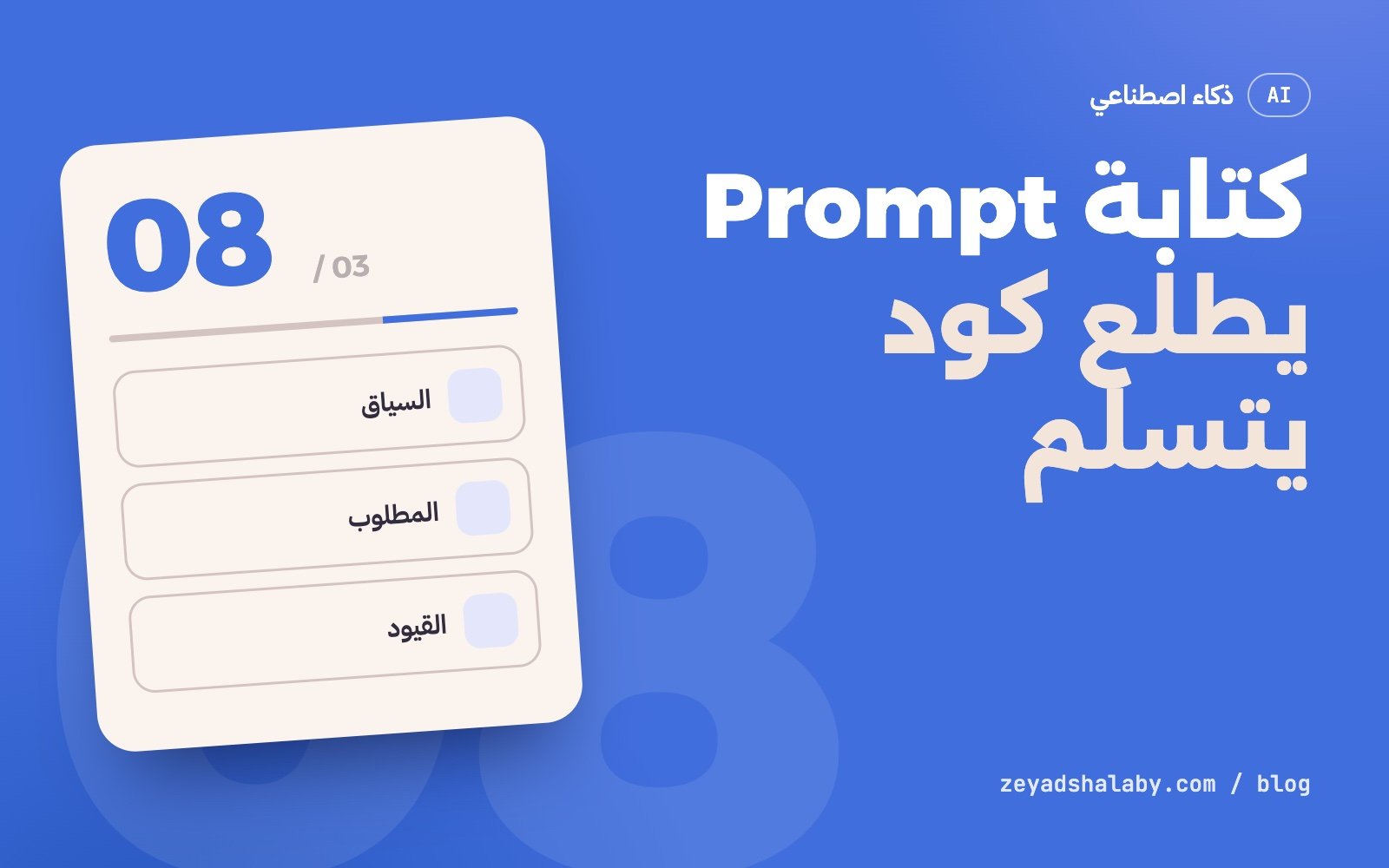
كتابة Prompt كويس للكود معناها إنك تدي الأداة تلات حاجات قبل ما تطلب أي سطر: السياق اللي هي شغالة فيه، المطلوب بالظبط وشكل النتيجة، والقيود اللي ما ينفعش تتكسر. معظم الكود الوحش اللي بيطلع من أدوات الذكاء الاصطناعي سببه طلب ناقص مش أداة ضعيفة. المقال ده فيه سبع عادات وقالب تنسخه.
ليه الطلب القصير بيطلع كود وحش
لما تكتب “اعملي فورم تسجيل”، الأداة قدامها ألف قرار محدش قالها عليه: بأنهي لغة؟ بأنهي مكتبة؟ الحقول إيه؟ التحقق فين؟ الأخطاء بتظهر إزاي؟ هتخزن فين؟
هي مش هتسألك عن كل ده. هتخمن. والتخمين بيميل للحل الأكتر شيوعا في اللي اتدربت عليه، مش للحل اللي يناسب مشروعك. النتيجة كود “صح” في العموم وغلط عندك: مكتبة مش مستخدمها، أسلوب غير أسلوب باقي الملفات، وافتراضات عن قاعدة البيانات مش موجودة.
الأداة مش بتقرا دماغك. اللي مش مكتوب في الطلب، هي هتألفه.
العادة 1: ادي السياق الأول
قبل المطلوب، قول انت فين:
- التقنيات: اللغة والإصدار، إطار العمل، المكتبات المهمة.
- شكل المشروع: الملفات المعنية فين، وإيه اللي بينادي إيه.
- الأسلوب: بتسمي المتغيرات إزاي، بتكتب تعليقات ولا لأ، فيه linter؟
- مثال من عندك: ملف شبيه مكتوب بالطريقة اللي عايزها. ده أقوى من أي وصف.
لو بتستخدم أداة بتقرا المشروع نفسه، السياق ده بيتحط مرة واحدة في ملف تعليمات المشروع وهي بتقراه كل مرة. لو بتستخدم شات عادي، الصقه في أول الرسالة.
العادة 2: حدد المطلوب وشكل النتيجة
قارن بين الاتنين:
قبل:
اعملي دالة بتتحقق من الإيميل.

بعد:
اكتب دالة TypeScript اسمها isValidEmail بتاخد string وترجع boolean.
- ترفض الفاضي والمسافات في الأول والآخر.
- ما تستخدمش regex معقد: وجود @ ونقطة بعدها كفاية.
- من غير أي مكتبة خارجية.
- معاها 6 اختبارات بـ Vitest: 3 صح و 3 غلط.
رجع الكود بس، من غير شرح.
التاني أطول بتلات سطور وبيوفر عليك تلات جولات تعديل. لاحظ إنه حدد: الاسم، المدخل والمخرج، الحالات الطرفية، الممنوع، الاختبارات، وشكل الرد.
العادة 3: قول القيود والممنوعات
الأدوات بتحب تزود. تطلب تعديل صغير تلاقيها عادت كتابة الملف، ضافت مكتبة، وغيرت أسماء. اقفل الباب ده بوضوح:
- “عدل الدالة دي بس، وما تلمسش باقي الملف.”
- “ما تضيفش أي dependency جديدة.”
- “حافظ على نفس توقيع الدالة لأن فيه كود تاني بيناديها.”
- “لازم يشتغل من غير JavaScript في المتصفح.”
- “ما تغيرش الاختبارات الموجودة عشان تعدي.”
الأخيرة دي مهمة: أداة مضغوطة إنها “تخلي الاختبارات تعدي” ممكن تعدل الاختبار نفسه بدل ما تصلح الكود.
العادة 4: اطلب خطة قبل التنفيذ
في أي مهمة أكبر من دالة واحدة، ما تطلبش الكود على طول. اطلب الأول:
قبل ما تكتب أي كود:
1. قولي فهمت المطلوب إزاي في 3 سطور.
2. اكتب الخطة: أنهي ملفات هتتعدل وإيه اللي هيتغير في كل واحد.
3. قولي إيه اللي مش واضح ومحتاج قرار مني.
استنى موافقتي.
تصليح خطة غلط بياخد دقيقة. تصليح 400 سطر مبنيين على فهم غلط بياخد ساعة. وكتير بتكتشف من الخطة إن طلبك نفسه كان ناقص.
العادة 5: قسم المهمة
الطلب الكبير بيطلع كود كتير، والكود الكتير محدش بيراجعه بجد. قسم:
- شكل البيانات والأنواع.
- الدالة الأساسية واختباراتها.
- الربط بالواجهة.
- حالات الخطأ والتحميل.
كل خطوة تتجرب وتتحفظ في Git قبل اللي بعدها. لو خطوة باظت، بترجع خطوة واحدة مش المشروع كله. لو لسه مش مرتاح مع Git، شوف Git للمبتدئين.
العادة 6: ادي الخطأ كامل
“مش شغال” مش معلومة. لما حاجة تقع، ابعت:
- رسالة الخطأ كاملة بالـ stack trace، منسوخة مش مكتوبة من الذاكرة.
- إيه اللي عملته بالظبط قبل ما تقع.
- إيه اللي كنت متوقعه وإيه اللي حصل.
- إيه اللي جربته وما نفعش.
واطلب منها تدور على السبب قبل ما تقترح حل: “اشرحلي السبب الأول، وبعدين اقترح أصغر تعديل يصلحه”. كده بتتجنب إنها تغطي العرض بدل ما تعالج المرض.
العادة 7: راجع زي ما بتراجع شغل زميل
الكود اللي طلع مش نهاية الشغل. قبل ما تقبله:
- اقرا التغيير سطر سطر (الـ diff)، مش الملف كله.
- شغله بنفسك. “المفروض يشتغل” مش دليل.
- دور على اللي اتضاف من غير ما تطلبه.
- اسأل الأداة نفسها: “إيه الحالات اللي الكود ده هيقع فيها؟” هتتفاجئ بالإجابة.
- في أي حاجة فيها دخول أو فلوس أو بيانات ناس، اقراها مرتين.
الفرق بين الشغل ده وبين إنك تقبل أي حاجة تطلع مشروح في Vibe coding: إيه هو وإمتى تعتمد عليه.
قالب جاهز تنسخه
## السياق
المشروع: [نوعه في سطر]
التقنيات: [اللغة، الإطار، المكتبات]
الملفات المعنية: [المسارات]
الأسلوب: [مثال أو ملف شبيه]

## المطلوب
[جملة واحدة واضحة]

## التفاصيل
- المدخلات: ...
- المخرجات: ...
- الحالات الطرفية: ...

## القيود
- ما تعدلش غير: ...
- من غير مكتبات جديدة.
- [أي شرط تاني]

## إزاي أعرف إنه خلص
- [اختبار أو سلوك يتشاف]

## شكل الرد
خطة الأول، واستنى موافقتي.
مش لازم تملا كل خانة في كل مرة. بس لو النتيجة طلعت وحشة، ارجع للقالب وشوف أنهي خانة كانت فاضية. في الغالب هتلاقي السبب هناك.
عايز تفهم الأدوات اللي بتنفذ الطلبات دي لوحدها على مشروعك؟ اقرا AI Agents: إيه هي وبتشتغل إزاي. ولو عايز تستخدم نفس الطريقة في شغلك كله مش في الكود بس، ده موضوع كورس أتمتة شغلك بالذكاء الاصطناعي.
Writing a prompt that produces good code means giving the tool three things before asking for a single line: the context it is working in, exactly what you want and what the result should look like, and the constraints that must not be broken. Most bad code from AI tools comes from an incomplete request, not a weak tool. This post has seven habits and a template to copy.
Why a short request gives bad code
When you write “make me a sign-up form”, the tool faces a thousand decisions nobody told it about: which language, which library, which fields, where validation runs, how errors show, where data is stored.
It will not ask you about all of that. It will guess. And the guess leans towards the most common solution in its training, not the one that fits your project. The result is code that is “right” in general and wrong for you: a library you do not use, a style unlike your other files, and assumptions about a database that does not exist.
The tool does not read your mind. Whatever is not in the request, it will make up.
Habit 1: give context first
Before the task, say where you are:
- Stack: language and version, framework, important libraries.
- Project shape: where the relevant files are and what calls what.
- Style: how you name things, whether you comment, whether there is a linter.
- An example of yours: a similar file written the way you want. This beats any description.
If your tool reads the project itself, this context goes once into the project instructions file and it reads it every time. In a plain chat, paste it at the top of the message.
Habit 2: define the task and the output
Compare the two:
Before:
Make a function that validates email.

After:
Write a TypeScript function isValidEmail that takes a string and returns boolean.
- Reject empty input and leading/trailing spaces.
- No complex regex: an @ followed by a dot is enough.
- No external libraries.
- Include 6 Vitest tests: 3 valid, 3 invalid.
Return code only, no explanation.
The second is three lines longer and saves three rounds of edits. Notice what it fixed: the name, input and output, edge cases, what is forbidden, the tests, and the reply format.
Habit 3: state constraints and prohibitions
Tools like to add. You ask for a small change and find the file rewritten, a library added and names changed. Close that door explicitly:
- “Change this function only, leave the rest of the file alone.”
- “Do not add any new dependency.”
- “Keep the same function signature because other code calls it.”
- “It must work without JavaScript in the browser.”
- “Do not change existing tests to make them pass.”
The last one matters: a tool pushed to “make the tests pass” may edit the test instead of fixing the code.
Habit 4: ask for a plan before code
For anything bigger than one function, do not ask for code straight away. First ask:
Before writing any code:
1. Tell me how you understood the task in 3 lines.
2. Write the plan: which files change and what changes in each.
3. Tell me what is unclear and needs my decision.
Wait for my approval.
Fixing a wrong plan takes a minute. Fixing 400 lines built on a wrong understanding takes an hour. And often the plan shows you that your own request was incomplete.
Habit 5: split the task
A big request produces a lot of code, and nobody really reviews a lot of code. Split it:
- Data shape and types.
- The core function and its tests.
- Wiring to the interface.
- Error and loading states.
Each step is tried and committed to Git before the next. If a step goes wrong you roll back one step, not the project. If Git is still unfamiliar, see Git for beginners.
Habit 6: give the full error
“It does not work” is not information. When something breaks, send:
- The full error message with the stack trace, copied, not typed from memory.
- Exactly what you did before it broke.
- What you expected and what happened.
- What you tried that did not help.
And ask it to find the cause before proposing a fix: “explain the cause first, then suggest the smallest change that fixes it”. That avoids covering the symptom instead of treating the illness.
Habit 7: review as you would a colleague’s work
The generated code is not the end of the job. Before accepting it:
- Read the change line by line (the diff), not the whole file.
- Run it yourself. “It should work” is not evidence.
- Look for what was added without being asked.
- Ask the tool itself: “which cases will this code fail on?” The answer will surprise you.
- For anything with sign-in, money or personal data, read it twice.
The difference between this and accepting whatever comes out is explained in Vibe coding: what it is and when to trust it.
A template to copy
## Context
Project: [its type in one line]
Stack: [language, framework, libraries]
Relevant files: [paths]
Style: [example or similar file]

## Task
[one clear sentence]

## Details
- Inputs: ...
- Outputs: ...
- Edge cases: ...

## Constraints
- Do not change anything except: ...
- No new libraries.
- [any other condition]

## How I know it is done
- [a test or visible behaviour]

## Reply format
Plan first, then wait for my approval.
You do not have to fill every field every time. But when the result is bad, go back to the template and see which field was empty. You will usually find the cause there.
Want to understand the tools that carry out these requests on your project by themselves? Read AI agents: what they are and how they work. And if you want to use the same approach across your work and not only in code, that is the subject of the AI automation course.
التعليقاتComments
اقرا كمانRead next
 ذكاء اصطناعيAI
5 دقايق قرايةmin read
Claude Code للمبتدئين: إزاي تشتغل بوكيل برمجة من غير ما تبوظ مشروعكClaude Code for beginners: working with a coding agent without wrecking your project
ذكاء اصطناعيAI
5 دقايق قرايةmin read
Claude Code للمبتدئين: إزاي تشتغل بوكيل برمجة من غير ما تبوظ مشروعكClaude Code for beginners: working with a coding agent without wrecking your project
 ذكاء اصطناعيAI
5 دقايق قرايةmin read
Prompt Injection: الثغرة اللي لازم تفهمها قبل ما تبني بالذكاء الاصطناعيPrompt injection: the flaw to understand before building with AI
ذكاء اصطناعيAI
5 دقايق قرايةmin read
Prompt Injection: الثغرة اللي لازم تفهمها قبل ما تبني بالذكاء الاصطناعيPrompt injection: the flaw to understand before building with AI
سيب تعليقLeave a comment